Chapter 5.9 — The `<blockquote>` Element
Complete guide to the HTML `<blockquote>` element including semantics, citations, accessibility, SEO, browser behavior, and professional best practices.
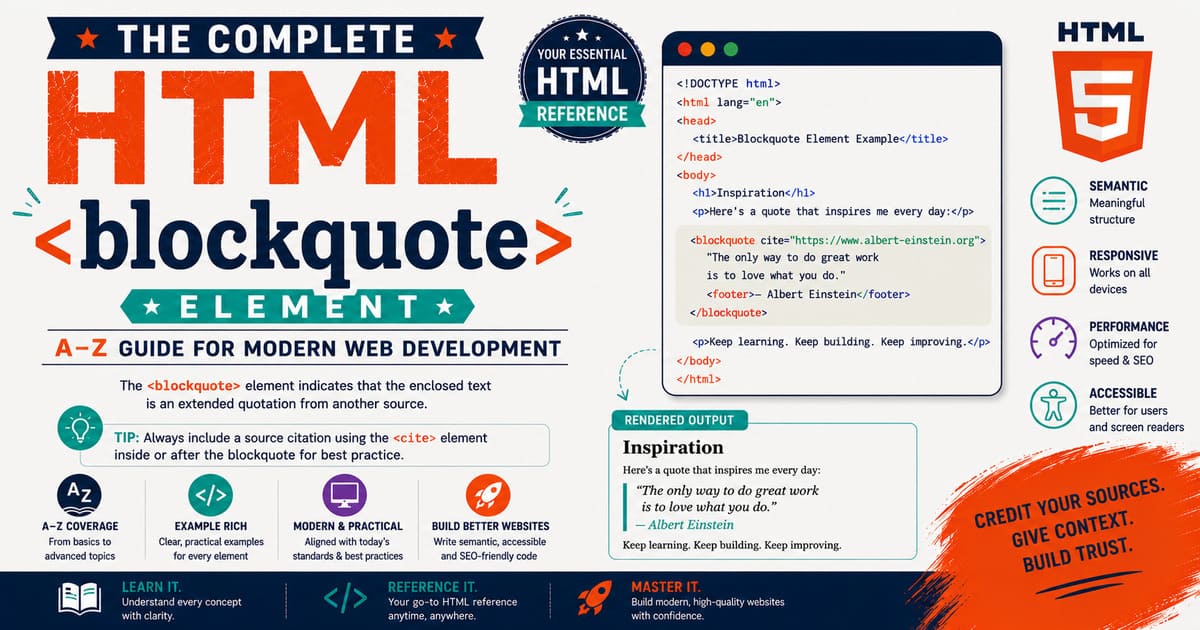
Chapter 5.9 — The <blockquote> Element
One of the strengths of HTML is that it doesn’t just describe how content looks—it also describes what the content means.
When writing articles, research papers, interviews, biographies, news reports, or educational material, authors often include quotations from books, speeches, websites, or other published sources.
HTML provides a dedicated element for this purpose:
1
<blockquote>
Unlike a normal paragraph, a block quotation tells browsers, search engines, accessibility tools, and other software that the enclosed content is a quotation from another source.
The <blockquote> element is therefore both semantic and structural, making it an essential tool for producing well-organized, standards-compliant documents.
5.9.1 Introduction to the <blockquote> Element
The <blockquote> element represents a quotation that is extended enough to be displayed as a separate block.
It is intended for quotations that span multiple lines, paragraphs, or sentences.
Simple syntax:
1
2
3
4
5
<blockquote>

Knowledge is power.

</blockquote>
Most browsers display block quotations with indentation, making them visually distinct from surrounding content.
Why Was <blockquote> Introduced?
Imagine writing an article about web development.
Without semantic markup, you might write:
1
2
3
4
5
<p>

"HTML is the foundation of the Web."

</p>
Visually this works.
However, the browser has no indication that the sentence is a quotation.
Using:
1
2
3
4
5
<blockquote>

HTML is the foundation of the Web.

</blockquote>
clearly communicates the meaning of the content.
The browser, search engines, and assistive technologies now understand that this text is quoted rather than written by the author.
Block Quotations vs Ordinary Paragraphs
Consider these examples.
Paragraph:
1
2
3
4
5
<p>

HTML gives structure to web pages.

</p>
Quotation:
1
2
3
4
5
<blockquote>

HTML gives structure to web pages.

</blockquote>
Although the visible text is identical, the semantic meaning is completely different.
This distinction becomes increasingly important for accessibility, search engines, and document processing software.
Default Browser Appearance
Most browsers apply built-in styles similar to:
1
2
3
4
5
6
7
blockquote{

display:block;

margin:1em 40px;

}
Typical characteristics include:
- Displayed as a block element.
- Indented from the left and right margins.
- Vertical spacing before and after the quotation.
The exact appearance depends on the browser’s default stylesheet.
A Practical Example
Suppose you’re writing an article about programming education.
1
2
3
4
5
6
7
8
9
10
11
<p>

One experienced instructor once said:

</p>

<blockquote>

Programming is learned by writing programs, not by reading about them.

</blockquote>
Readers can immediately recognize that the second section is quoted material.
Multi-Paragraph Quotations
The <blockquote> element may contain more than one paragraph.
Example:
1
2
3
4
5
6
7
8
9
10
11
12
13
14
15
<blockquote>

<p>

Learning is a continuous journey.

</p>

<p>

Every project teaches something new.

</p>

</blockquote>
This is perfectly valid HTML.
The quotation may include multiple paragraphs, lists, headings, or other flow content.
The cite Attribute
One of the most useful features of <blockquote> is its optional cite attribute.
Example:
1
2
3
4
5
6
<blockquote
cite="https://example.com/article">

Learning never stops.

</blockquote>
The attribute specifies the source of the quotation.
Important points:
- The URL is intended for machines.
- Browsers usually do not display it automatically.
- It helps document the origin of the quotation.
If you want readers to see the source, include it separately in the page content.
Browser Parsing
When the browser encounters:
1
2
3
4
5
<blockquote>

Quoted text

</blockquote>
it performs a simplified process like this:
1
2
3
4
5
6
7
8
9
10
11
12
13
14
15
16
17
18
19
20
21
Read <blockquote>

↓

Create Blockquote Element

↓

Read Content

↓

Encounter </blockquote>

↓

Finish Element

↓

Render as Block Content
The quotation becomes part of the DOM like any other HTML element.
DOM Representation
Example:
1
2
3
4
5
<blockquote>

Knowledge is power.

</blockquote>
Simplified DOM:
1
2
3
4
5
6
7
8
9
Document
│
└── html
     │
     └── body
          │
          └── blockquote
                │
                └── Text Node
If additional paragraphs exist inside the quotation, each becomes its own child node.
Real-World Applications
The <blockquote> element is widely used in:
- News websites
- Research papers
- Academic publications
- Technical documentation
- Personal blogs
- Interviews
- Biographies
- Book reviews
- Historical articles
- Educational websites
Whenever quoting substantial material from another source, <blockquote> is generally the correct semantic choice.
Common Misconceptions
Misconception 1
”
<blockquote>is only for famous quotes.”
Incorrect.
Any extended quotation from another source may use <blockquote>.
Misconception 2
”
<blockquote>automatically shows quotation marks.”
Incorrect.
Browsers usually indent the content but do not insert quotation marks automatically.
If quotation marks are desired, they should be included in the content or added using CSS.
Misconception 3
”
<blockquote>is only for one paragraph.”
Incorrect.
It may contain multiple paragraphs and many other flow-content elements.
Practical Exercise
Create a file named:
blockquote-introduction.html
1
2
3
4
5
6
7
8
9
10
11
12
13
14
15
16
17
18
19
20
21
22
23
24
25
26
27
<!DOCTYPE html>

<html lang="en">

<head>

<title>Learning Blockquote</title>

</head>

<body>

<p>

The following statement is quoted from an external source:

</p>

<blockquote>

The beautiful thing about learning is that nobody can take it away from you.

</blockquote>

</body>

</html>
Open the page.
Observe that the quotation is displayed separately from the surrounding paragraph, making it visually and semantically distinct.
Did You Know?
Before HTML introduced semantic elements, many authors created quotations using ordinary paragraphs and manual indentation. The
<blockquote>element standardized this practice, allowing browsers and assistive technologies to recognize quotations automatically rather than relying only on visual formatting.
Summary
In this section, you learned:
- The purpose of the
<blockquote>element. - Why it exists.
- The difference between quotations and paragraphs.
- Default browser rendering.
- Multi-paragraph quotations.
- The
citeattribute. - Browser parsing.
- DOM representation.
- Common misconceptions.
- Practical usage examples.
Coming Up Next — Section 5.9.2
In the next section, we’ll explore the HTML Living Standard definition, content model, browser parsing algorithms, DOM interface, accessibility, and semantic behavior of the <blockquote> element, including:
- HTML specification.
- Flow Content categories.
- The
HTMLQuoteElementinterface. - DOM structure.
- Nested quotations.
- Relationship with the
<q>element. - Accessibility APIs.
- Browser internals.
- Professional semantic practices.
This next section will explain not only how <blockquote> looks, but also how browsers and assistive technologies understand its meaning.
5.9.2 HTML Specification, Content Model, DOM Interface, Browser Parsing, and Semantic Behavior of <blockquote>
In the previous section, you learned that the <blockquote> element is used for extended quotations and that it gives semantic meaning to quoted content rather than merely changing its appearance.
In this section, we’ll move beyond visual presentation and explore how the HTML Living Standard defines the <blockquote> element, how browsers parse it, how it appears in the Document Object Model (DOM), and why semantic HTML is important for accessibility, search engines, and modern web applications.
HTML Living Standard Definition
According to the HTML Living Standard, the <blockquote> element represents a section that is quoted from another source.
The quotation is generally intended to be a block-level quotation rather than a short inline quotation.
Unlike ordinary paragraphs, a <blockquote> communicates authorship.
It tells software that:
- The enclosed content originates from another source.
- The page author is quoting rather than claiming authorship.
- The quotation forms its own logical section within the document.
This semantic meaning remains the same regardless of how the quotation is styled.
Content Categories
The <blockquote> element belongs to several HTML content categories.
| Category | Included |
|---|---|
| Flow Content | ✅ |
| Sectioning Root | ✅ |
| Palpable Content | ✅ |
Let’s briefly examine each category.
Flow Content
Because <blockquote> is Flow Content, it may appear anywhere normal block-level content is allowed.
For example:
1
2
3
4
5
6
7
8
9
10
11
<article>

<p>Introduction</p>

<blockquote>

Quoted material

</blockquote>

</article>
This is perfectly valid.
Sectioning Root
The <blockquote> element is also a Sectioning Root.
This means that headings inside a block quotation create their own internal outline and do not affect the outline of the surrounding document.
Example:
1
2
3
4
5
6
7
8
9
10
11
<blockquote>

<h2>Historical Letter</h2>

<p>

Quoted content...

</p>

</blockquote>
The heading belongs to the quoted section, not to the surrounding article.
Palpable Content
Because the quotation contributes meaningful visible information, it is considered Palpable Content.
Content Model
The content model of <blockquote> is:
Flow Content
This means it may contain almost any block-level content, including:
- Paragraphs
- Lists
- Headings
- Tables
- Figures
- Images
- Code examples
- Articles
- Sections
- Divisions
Example:
1
2
3
4
5
6
7
8
9
10
11
12
13
14
15
16
17
18
19
<blockquote>

<h3>Excerpt</h3>

<p>

Quoted paragraph.

</p>

<ul>

<li>Point One</li>

<li>Point Two</li>

</ul>

</blockquote>
This structure is completely valid HTML.
Is <blockquote> a Void Element?
No.
Unlike:
1
2
3
<br>
<hr>
<wbr>
the <blockquote> element requires both:
- Opening tag
- Closing tag
Correct:
1
2
3
4
5
<blockquote>

Quoted text

</blockquote>
Incorrect:
1
<blockquote>
Browsers may recover from the error, but the document is not valid HTML.
Browser Parsing
Suppose the browser reads:
1
2
3
4
5
6
7
8
9
<blockquote>

<p>

Learning never ends.

</p>

</blockquote>
A simplified parsing process looks like this:
1
2
3
4
5
6
7
8
9
10
11
12
13
14
15
16
17
18
19
20
21
22
23
24
25
26
27
28
29
Read <blockquote>

↓

Create Blockquote Element

↓

Read <p>

↓

Create Paragraph

↓

Read Text

↓

Close Paragraph

↓

Close Blockquote

↓

Continue Parsing
The quotation becomes a parent element containing one or more child nodes.
DOM Representation
Example:
1
2
3
4
5
6
7
8
9
<blockquote>

<p>

Knowledge is power.

</p>

</blockquote>
The DOM becomes:
1
2
3
4
5
6
7
8
9
10
11
Document
│
└── html
     │
     └── body
          │
          └── blockquote
                │
                └── p
                     │
                     └── Text Node
Notice that the paragraph is a child of the block quotation.
The HTMLQuoteElement Interface
The DOM interface used by <blockquote> is:
1
HTMLQuoteElement
Interestingly, the same interface is also used by the inline quotation element:
1
<q>
Inheritance hierarchy:
1
2
3
4
5
6
7
8
9
10
11
12
13
14
15
16
17
EventTarget

↓

Node

↓

Element

↓

HTMLElement

↓

HTMLQuoteElement
Therefore, <blockquote> supports all standard HTML element properties and methods.
The cite Property
The cite attribute is exposed through JavaScript.
HTML:
1
2
3
4
5
6
7
<blockquote
id="quote"
cite="https://example.com">

Learning is lifelong.

</blockquote>
JavaScript:
1
2
3
4
const quote =
document.getElementById("quote");

console.log(quote.cite);
Output:
1
https://example.com
This makes it easy for scripts to inspect or modify citation information.
Nested Block Quotations
A quotation may itself contain another quotation.
Example:
1
2
3
4
5
6
7
8
9
10
11
12
13
14
15
<blockquote>

<p>

The author wrote:

</p>

<blockquote>

Always stay curious.

</blockquote>

</blockquote>
This is valid HTML.
Browsers usually increase indentation for nested quotations, making the hierarchy visually clear.
Relationship with <q>
Many beginners confuse <blockquote> with <q>.
Although both represent quotations, they serve different purposes.
| Feature | <blockquote> | <q> |
|---|---|---|
| Block quotation | ✅ | ❌ |
| Inline quotation | ❌ | ✅ |
| Usually spans multiple lines | ✅ | ❌ |
| May contain paragraphs | ✅ | ❌ |
Uses HTMLQuoteElement | ✅ | ✅ |
A simple guideline:
- Use
<q>for short quotations within a sentence. - Use
<blockquote>for extended quotations displayed separately.
Accessibility
Assistive technologies recognize <blockquote> as quoted material.
Screen readers may announce that the following content is a quotation, helping users understand that the words belong to another source.
This semantic information improves comprehension, especially in long articles containing interviews, historical documents, or research excerpts.
Search Engine Understanding
Search engines also recognize <blockquote> as quoted content.
Although using <blockquote> does not directly improve rankings, it provides clearer document structure and helps search engines understand the relationship between original and quoted material.
Proper attribution remains important when quoting external sources.
Browser Rendering
Browsers generally apply default styles similar to:
1
2
3
4
5
6
7
8
9
blockquote{

display:block;

margin-left:40px;

margin-right:40px;

}
Developers are free to customize this appearance using CSS.
The semantic meaning remains unchanged.
Common Misconceptions
Misconception 1
”
<blockquote>is only a visual indentation.”
Incorrect.
Indentation is merely the default presentation.
The primary purpose is semantic.
Misconception 2
”
<blockquote>automatically shows the source.”
Incorrect.
The cite attribute is intended for machines.
If readers should see the source, include it visibly in the document.
Misconception 3
”
<blockquote>cannot contain headings.”
Incorrect.
It may contain headings, paragraphs, lists, and many other flow-content elements.
Practical Exercise
Create a file named:
blockquote-dom.html
1
2
3
4
5
6
7
8
9
10
11
12
13
14
15
16
17
18
19
20
21
22
23
24
25
26
27
28
29
30
31
32
33
34
<!DOCTYPE html>

<html lang="en">

<head>

<title>Blockquote DOM</title>

</head>

<body>

<blockquote id="quote">

<p>

Learning is a lifelong journey.

</p>

</blockquote>

<script>

const quote =
document.getElementById("quote");

console.log(quote);

</script>

</body>

</html>
Open the page.
Use Developer Tools to inspect the DOM and observe that the <blockquote> element behaves like any other HTML element while providing additional semantic meaning.
Did You Know?
The
<blockquote>element is one of the few HTML elements whose primary purpose is to communicate authorship rather than appearance. Even if CSS removes all indentation, browsers, screen readers, and search engines still recognize the enclosed content as a quotation from another source.
Summary
In this section, you learned:
- The HTML Living Standard definition of
<blockquote>. - Content categories and content model.
- Why it is not a void element.
- Browser parsing behavior.
- DOM representation.
- The
HTMLQuoteElementinterface. - The
citeproperty. - Nested quotations.
- Differences between
<blockquote>and<q>. - Accessibility and SEO implications.
- Common misconceptions.
Coming Up Next — Section 5.9.3
In the next section, we’ll explore Styling Quotations with CSS, Citation Techniques, JavaScript, Accessibility Enhancements, and Professional Publishing Practices, including:
- Custom quotation designs.
- Decorative quotation marks using CSS.
- Author attribution.
- The
<cite>element. - Pull quotes.
- Responsive quotation layouts.
- JavaScript interaction.
- Best practices for journalism, blogs, books, and documentation.
This next section will show how professional websites transform a simple <blockquote> into elegant, readable, and accessible quotations suitable for modern publishing.
5.9.3 Styling Quotations with CSS, Citation Techniques, JavaScript, Accessibility Enhancements, and Professional Publishing Practices
In the previous sections, you learned that the <blockquote> element provides semantic meaning for extended quotations and that browsers, search engines, and assistive technologies recognize it as quoted content.
However, if you’ve visited modern news websites, technical blogs, magazines, or documentation platforms, you’ve probably noticed that quotations often look far more attractive than the browser’s default indentation.
Professional websites rarely leave a <blockquote> with its default appearance.
Instead, they enhance quotations using CSS while preserving the semantic meaning provided by HTML.
In this section, we’ll explore how to style quotations professionally, provide proper attribution, improve accessibility, and create elegant quotation layouts for modern websites.
5.9.3.1 Default Browser Styling
Most browsers display a block quotation with simple indentation.
Example:
1
2
3
4
5
<blockquote>

The only limit to our realization of tomorrow is our doubts of today.

</blockquote>
The browser typically adds:
- Left margin
- Right margin
- Vertical spacing
Although functional, this appearance is often too plain for modern publishing.
Creating a Modern Quote Box
A common design is a quotation box.
Example CSS:
1
2
3
4
5
6
7
8
9
10
11
12
13
blockquote{

border-left:5px solid #4a90e2;

padding:20px;

margin:20px 0;

background:#f8f9fa;

font-style:italic;

}
This creates:
- A colored border.
- Comfortable spacing.
- A subtle background.
- Italic text.
The quotation becomes much more noticeable without losing its semantic meaning.
Decorative Quotation Marks
Many websites display oversized quotation marks.
Example CSS:
1
2
3
4
5
6
7
8
9
10
11
12
13
blockquote::before{

content:"“";

font-size:4rem;

line-height:0;

vertical-align:-0.4em;

color:#999;

}
The quotation mark is decorative only.
The quoted text itself remains unchanged.
Similarly, a closing quotation mark can be added:
1
2
3
4
5
6
7
8
9
blockquote::after{

content:"”";

font-size:4rem;

color:#999;

}
Pseudo-elements allow decorative styling without modifying the HTML.
Adding Author Attribution
A quotation is often followed by its author.
Example:
1
2
3
4
5
6
7
8
9
10
11
<blockquote>

Success is the sum of small efforts repeated day after day.

</blockquote>

<p>

— Robert Collier

</p>
While this works, HTML provides a more semantic approach.
Using the <cite> Element
The <cite> element identifies the title of a creative work or a reference.
Example:
1
2
3
4
5
6
7
8
9
10
11
<blockquote>

The future depends on what you do today.

</blockquote>

<cite>

Mahatma Gandhi

</cite>
Although many developers use <cite> for author names, according to the HTML specification it is intended for:
- Books
- Articles
- Research papers
- Films
- Songs
- Works of art
- Other creative works
When referencing an author, ensure your usage matches the context of your publication.
Combining <blockquote> with <footer>
A modern pattern is:
1
2
3
4
5
6
7
8
9
10
11
<blockquote>

Learning never exhausts the mind.

<footer>

— Leonardo da Vinci

</footer>

</blockquote>
The <footer> element identifies attribution or supplementary information associated with the quotation.
This structure is both semantic and widely used.
Pull Quotes
Many magazines use pull quotes.
A pull quote is a visually emphasized quotation extracted from the surrounding article.
Example:
1
2
3
4
5
<blockquote class="pull-quote">

Education is the passport to the future.

</blockquote>
CSS:
1
2
3
4
5
6
7
8
9
10
11
12
13
.pull-quote{

font-size:2rem;

font-weight:bold;

text-align:center;

max-width:600px;

margin:auto;

}
This creates an eye-catching quotation without changing its meaning.
Responsive Quotations
On small screens, excessive indentation wastes valuable space.
Responsive CSS:
1
2
3
4
5
6
7
blockquote{

margin:20px;

padding:15px;

}
Using relative spacing instead of fixed values improves readability on:
- Mobile phones
- Tablets
- Foldable devices
- Small laptops
Dark Mode Styling
Many modern websites support dark mode.
Example:
1
2
3
4
5
6
7
8
9
blockquote{

background:#222;

color:#f5f5f5;

border-left:5px solid #66aaff;

}
Proper contrast improves readability while maintaining accessibility.
JavaScript Interaction
Although quotations are usually static, JavaScript can modify them dynamically.
Example:
1
2
3
4
5
<blockquote id="quote">

Original quotation.

</blockquote>
JavaScript:
1
2
3
document.getElementById("quote")
.textContent =
"Updated quotation.";
The quotation changes immediately.
This technique is useful for:
- Daily quote widgets.
- Educational websites.
- Motivational applications.
- Interactive learning platforms.
Rotating Quotations
Many websites display a different quotation each time the page loads.
Example concept:
1
2
3
4
5
6
7
8
9
10
11
12
13
Quote Array

↓

Random Selection

↓

Update Blockquote

↓

Display New Quote
This simple technique keeps content fresh and engaging.
Accessibility Best Practices
Professional quotations should be easy to understand for everyone.
Recommendations:
- Introduce quotations with explanatory text.
- Attribute quotations clearly.
- Avoid decorative quotation marks that interfere with readability.
- Ensure sufficient color contrast.
- Use semantic HTML instead of manually styled paragraphs.
Good example:
1
2
3
4
5
6
7
8
9
10
11
<p>

The following statement highlights the importance of education:

</p>

<blockquote>

Education is the most powerful weapon which you can use to change the world.

</blockquote>
The introductory sentence provides helpful context before the quotation.
SEO Considerations
The <blockquote> element itself does not directly improve search rankings.
However, proper semantic structure contributes to:
- Better document organization.
- Improved readability.
- Clearer relationships between original and quoted content.
Always ensure quotations are properly attributed and genuinely relevant to the article.
Common Mistakes
Mistake 1
Using <blockquote> merely to indent text.
Incorrect:
1
2
3
4
5
<blockquote>

Important notice for customers.

</blockquote>
If the content is not a quotation, use another appropriate element.
Mistake 2
Removing semantic meaning with CSS alone.
Do not replace:
1
<blockquote>
with:
1
<div class="quote">
unless the content is not actually quoted material.
Semantic HTML should always come first.
Mistake 3
Forgetting attribution.
Whenever practical, identify the source of the quotation.
This improves credibility and respects intellectual property.
Practical Exercise
Create a file named:
blockquote-style.html
1
2
3
4
5
6
7
8
9
10
11
12
13
14
15
16
17
18
19
20
21
22
23
24
25
26
27
28
29
30
31
32
33
34
35
36
37
38
39
40
41
42
43
44
45
46
47
48
49
50
51
52
53
<!DOCTYPE html>

<html lang="en">

<head>

<title>Styled Blockquote</title>

<style>

blockquote{

border-left:5px solid #007acc;

padding:20px;

background:#f5f5f5;

font-style:italic;

}

blockquote footer{

margin-top:10px;

font-style:normal;

font-weight:bold;

}

</style>

</head>

<body>

<blockquote>

The beautiful thing about learning is that nobody can take it away from you.

<footer>

— B. B. King

</footer>

</blockquote>

</body>

</html>
Open the page.
Observe how CSS enhances the quotation while preserving its semantic structure.
Did You Know?
Many digital publishing platforms—including online newspapers, academic journals, magazine websites, and blogging systems—automatically style
<blockquote>elements with custom CSS while leaving the underlying HTML unchanged. This separation of structure (HTML) and presentation (CSS) is a fundamental principle of modern web development.
Summary
In this section, you learned:
- How browsers style
<blockquote>by default. - Creating modern quotation boxes.
- Decorative quotation marks using CSS.
- Author attribution techniques.
- The role of the
<cite>and<footer>elements. - Pull quotes.
- Responsive quotation layouts.
- JavaScript interaction.
- Accessibility improvements.
- SEO considerations.
- Common mistakes and professional publishing practices.
Coming Up Next — Section 5.9.4
In the next section, we’ll explore JavaScript, DOM Manipulation, Browser Compatibility, Accessibility APIs, SEO, HTMLQuoteElement, Advanced Semantics, and Professional Best Practices, including:
- Accessing
<blockquote>through the DOM. - The
HTMLQuoteElementinterface in depth. - Reading and modifying the
citeattribute. - Browser compatibility.
- Screen reader behavior.
- Search engine interpretation.
- Performance considerations.
- Interview questions.
- Complete technical reference.
By the end of the next section, you’ll have a complete professional understanding of the <blockquote> element from both semantic and implementation perspectives.
5.9.4 JavaScript, DOM Manipulation, Browser Compatibility, Accessibility APIs, SEO, Performance, and Professional Best Practices for <blockquote>
In the previous sections, you learned how the <blockquote> element provides semantic meaning for extended quotations and how CSS can transform a simple quotation into an elegant design suitable for blogs, magazines, news portals, and documentation websites.
In this section, we’ll focus on how <blockquote> behaves in modern browsers, how JavaScript interacts with it, how assistive technologies interpret it, and the professional practices followed by experienced web developers.
5.9.4.1 Accessing <blockquote> Through the DOM
Like every HTML element, <blockquote> becomes part of the Document Object Model (DOM) when the browser parses the page.
Example:
1
2
3
4
5
<blockquote id="quote">

Learning never stops.

</blockquote>
JavaScript:
1
2
3
4
const quote =
document.getElementById("quote");

console.log(quote);
Output:
1
2
3
4
5
<blockquote id="quote">

Learning never stops.

</blockquote>
The returned object represents the HTML element and provides access to its content, attributes, styles, and events.
The HTMLQuoteElement Interface
The DOM interface representing <blockquote> is:
1
HTMLQuoteElement
Interestingly, the same interface is also used by the inline quotation element:
1
<q>
Inheritance hierarchy:
1
2
3
4
5
6
7
8
9
10
11
12
13
14
15
16
17
EventTarget

↓

Node

↓

Element

↓

HTMLElement

↓

HTMLQuoteElement
Because of this inheritance, <blockquote> supports all standard DOM methods available to HTML elements.
Reading Quotation Content
Example:
1
2
3
4
5
<blockquote id="wisdom">

Knowledge grows when shared.

</blockquote>
JavaScript:
1
2
3
4
const quote =
document.getElementById("wisdom");

console.log(quote.textContent);
Output:
1
Knowledge grows when shared.
The textContent property retrieves only the textual content of the quotation.
Updating a Quotation
Example:
1
2
3
4
5
const quote =
document.getElementById("wisdom");

quote.textContent =
"Curiosity drives innovation.";
The browser immediately updates the displayed quotation.
This approach is commonly used in:
- Daily quote widgets
- Educational websites
- Quote generators
- Interactive tutorials
Working with the cite Attribute
HTML:
1
2
3
4
5
6
7
<blockquote
id="quote"
cite="https://example.org/article">

Learning is lifelong.

</blockquote>
JavaScript:
1
2
3
4
const quote =
document.getElementById("quote");

console.log(quote.cite);
Output:
1
https://example.org/article
Updating the citation:
1
2
quote.cite =
"https://example.org/new-source";
This changes the value of the cite attribute in the DOM.
Selecting Multiple Quotations
Suppose a page contains several quotations.
HTML:
1
2
3
4
5
<blockquote>Quote One</blockquote>

<blockquote>Quote Two</blockquote>

<blockquote>Quote Three</blockquote>
JavaScript:
1
2
3
4
5
6
7
8
const quotes =
document.querySelectorAll("blockquote");

quotes.forEach(function(item){

console.log(item.textContent);

});
The browser processes each quotation individually.
Styling with JavaScript
JavaScript can also modify presentation.
Example:
1
2
3
4
5
6
7
8
const quote =
document.querySelector("blockquote");

quote.style.background =
"#f5f5f5";

quote.style.padding =
"20px";
Although possible, extensive styling should generally be handled through CSS rather than JavaScript.
Browser Compatibility
The <blockquote> element has been supported since the earliest versions of HTML.
Current browser support:
| Browser | Support |
|---|---|
| Chrome | ✅ |
| Firefox | ✅ |
| Safari | ✅ |
| Edge | ✅ |
| Opera | ✅ |
| Android Browsers | ✅ |
| iOS Browsers | ✅ |
Compatibility issues are extremely rare.
Accessibility APIs
Assistive technologies identify <blockquote> as quoted content.
Screen readers may announce the beginning and end of a quotation, helping users distinguish between:
- The author’s original writing.
- Material quoted from another source.
This semantic distinction improves comprehension, especially in:
- Academic articles
- Interviews
- Historical documents
- Legal publications
Search Engine Interpretation
Search engines understand that <blockquote> represents quoted material.
Although it does not directly increase rankings, it contributes to:
- Clear document structure.
- Better semantic understanding.
- Improved content organization.
Always provide appropriate attribution when quoting external sources.
Performance Considerations
The <blockquote> element is extremely lightweight.
Typical quotations require only a few bytes of HTML.
Performance issues arise only when pages contain:
- Thousands of quotations.
- Extremely large nested structures.
- Heavy JavaScript manipulating quotations repeatedly.
For ordinary articles and blogs, <blockquote> has virtually no performance impact.
Professional Best Practices
Use <blockquote> Only for Genuine Quotations
Correct:
1
2
3
4
5
<blockquote>

The greatest wealth is health.

</blockquote>
Incorrect:
1
2
3
4
5
<blockquote>

Welcome to our website.

</blockquote>
If the content is not quoted, another HTML element should be used.
Provide Context
Introduce quotations with explanatory text.
Example:
1
2
3
4
5
6
7
8
9
10
11
<p>

The following statement summarizes the importance of lifelong learning:

</p>

<blockquote>

Live as if you were to die tomorrow. Learn as if you were to live forever.

</blockquote>
Readers immediately understand why the quotation appears.
Attribute the Source
Whenever possible:
- Identify the author.
- Cite the publication.
- Include the original source if appropriate.
This improves credibility and supports ethical publishing.
Avoid Excessive Nesting
Although nested block quotations are valid HTML, deeply nested quotations can become difficult to read.
Prefer clear structure over unnecessary nesting.
Style with CSS
Instead of:
1
2
quote.style.color =
"blue";
Prefer:
1
2
3
4
5
blockquote{

color:#003366;

}
Separating structure, behavior, and presentation results in cleaner code.
Interview Questions
Question 1
Which DOM interface represents <blockquote>?
Answer:
HTMLQuoteElement.
Question 2
Which attribute specifies the source of a quotation?
Answer:
cite.
Question 3
Can <blockquote> contain multiple paragraphs?
Answer:
Yes.
Its content model allows Flow Content.
Question 4
Should <blockquote> be used for visual indentation?
Answer:
No.
It should represent actual quoted material.
Question 5
Does CSS affect the semantic meaning of <blockquote>?
Answer:
No.
CSS changes presentation only.
The semantic meaning remains the same.
Did You Know?
Many content management systems, static site generators, and publishing platforms—including Markdown-based tools—automatically convert block quotation syntax into HTML
<blockquote>elements. This allows authors to write simple markup while preserving rich semantic meaning in the generated HTML.
Summary
In this section, you learned:
- How to access
<blockquote>through the DOM. - The
HTMLQuoteElementinterface. - Reading and updating quotation text.
- Working with the
citeattribute. - Selecting multiple quotations.
- Styling via JavaScript.
- Browser compatibility.
- Accessibility behavior.
- Search engine interpretation.
- Performance considerations.
- Professional implementation practices.
Coming Up Next — Section 5.9.5
In the final section of the <blockquote> chapter, we’ll explore:
- Advanced publishing techniques.
- Markdown and Jekyll integration.
- Security considerations.
- Common authoring mistakes.
- Complete technical reference table.
- Final chapter summary.
- Professional publishing checklist.
- Real-world examples from documentation and journalism.
By the end of Section 5.9.5, you will have a complete, end-to-end understanding of the HTML <blockquote> element suitable for professional web development, technical writing, blogging, and educational publishing.
5.9.5 Advanced Publishing, Markdown Integration, Jekyll Implementation, Security, Complete Technical Reference, and Chapter Summary
Welcome to the final section of the <blockquote> chapter.
So far, you’ve learned:
- The purpose and semantics of the
<blockquote>element. - Browser parsing and DOM representation.
- The
HTMLQuoteElementinterface. - CSS styling techniques.
- Accessibility and SEO considerations.
- JavaScript interaction.
- Professional publishing practices.
In this concluding section, we’ll examine how <blockquote> is used in modern publishing systems, Markdown-based workflows, and static site generators such as Jekyll. We’ll also discuss security considerations, common authoring mistakes, and conclude with a comprehensive technical reference.
5.9.5.1 <blockquote> in Markdown
One reason Markdown has become so popular is its simplicity.
A block quotation in Markdown begins with the greater-than (>) character.
Example:
1
> The only true wisdom is in knowing you know nothing.
When converted to HTML, it becomes:
1
2
3
4
5
6
7
8
9
<blockquote>

<p>

The only true wisdom is in knowing you know nothing.

</p>

</blockquote>
The conversion is automatic, making Markdown ideal for blogs, documentation, and educational content.
Multi-Paragraph Quotations in Markdown
Markdown also supports longer quotations.
Example:
1
2
3
> Learning is a journey.
>
> Every experience teaches something valuable.
Generated HTML:
1
2
3
4
5
6
7
8
9
10
11
12
13
14
15
<blockquote>

<p>

Learning is a journey.

</p>

<p>

Every experience teaches something valuable.

</p>

</blockquote>
Each paragraph is preserved within the quotation.
Nested Quotations in Markdown
Nested quotations are created by adding additional > characters.
Markdown:
1
2
3
> First quotation.
>
>> Nested quotation.
Generated HTML:
1
2
3
4
5
6
7
8
9
10
11
12
13
14
15
16
17
18
19
<blockquote>

<p>

First quotation.

</p>

<blockquote>

<p>

Nested quotation.

</p>

</blockquote>

</blockquote>
This mirrors the nesting behavior of HTML.
5.9.5.2 Using <blockquote> in Jekyll
Jekyll automatically converts Markdown quotations into semantic HTML.
For example, a Markdown post containing:
1
> HTML gives structure to the Web.
is rendered as:
1
2
3
4
5
6
7
8
9
<blockquote>

<p>

HTML gives structure to the Web.

</p>

</blockquote>
This means authors can focus on writing while Jekyll generates standards-compliant HTML.
Customizing Block Quotes in Jekyll
Many Jekyll themes include predefined styles for quotations.
You can override them using your own stylesheet.
Example:
1
2
3
4
5
6
7
8
9
10
11
12
13
blockquote{

background:#f8f9fa;

border-left:4px solid #0d6efd;

padding:1rem;

margin:1.5rem 0;

border-radius:6px;

}
This styling applies consistently across all posts generated by Jekyll.
Adding Attribution
A professional quotation usually includes attribution.
Example:
1
2
3
4
5
6
7
8
9
10
11
<blockquote>

The journey of a thousand miles begins with a single step.

<footer>

— Lao Tzu

</footer>

</blockquote>
Alternatively, you may include:
1
2
3
4
5
<cite>

*Tao Te Ching*

</cite>
when referencing the title of a creative work.
5.9.5.3 Security Considerations
Unlike executable elements such as <script>, the <blockquote> element itself does not introduce security risks.
However, quotations submitted by users require careful handling.
Example of unsafe code:
1
2
quote.innerHTML =
userInput;
If userInput contains malicious HTML or JavaScript, it may execute unexpectedly.
Safer Alternative
Use:
1
2
quote.textContent =
userInput;
This displays the quotation as plain text without interpreting embedded HTML.
Escaping HTML
If you want to display HTML code inside a quotation, escape reserved characters.
Incorrect:
1
2
3
4
5
<blockquote>

<h1>Hello</h1>

</blockquote>
Correct:
1
2
3
4
5
<blockquote>
<h1>Hello</h1>
</blockquote>
Readers will see the HTML source rather than rendered output.
5.9.5.4 Common Authoring Mistakes
Mistake 1 — Using <blockquote> for Visual Indentation
Incorrect:
1
2
3
4
5
<blockquote>

Important announcement.

</blockquote>
If the content is not a quotation, use another appropriate element.
Mistake 2 — Omitting Attribution
Whenever practical, identify the source of the quotation.
Proper attribution improves credibility and supports ethical publishing.
Mistake 3 — Overusing Quotations
A page containing mostly quotations and very little original writing may provide limited value to readers.
Balance quoted material with your own analysis and explanation.
Mistake 4 — Excessive Nesting
Although nested quotations are valid HTML, deeply nested structures reduce readability.
Prefer simpler layouts whenever possible.
Professional Publishing Checklist
Before publishing a quotation, ask yourself:
- Is the content genuinely quoted?
- Is
<blockquote>the appropriate element? - Have I provided attribution?
- Is the quotation relevant to the surrounding discussion?
- Is the design accessible?
- Does the quotation remain readable on mobile devices?
Answering “Yes” to these questions generally indicates good semantic markup.
Complete Technical Reference
| Feature | Description |
|---|---|
| Element | <blockquote> |
| Purpose | Extended quotation |
| Category | Flow Content |
| Sectioning Root | Yes |
| Content Model | Flow Content |
| Closing Tag | Required |
| Void Element | No |
| DOM Interface | HTMLQuoteElement |
| Common Attribute | cite |
| JavaScript Support | Full |
| Accessibility | Excellent |
| SEO Impact | Neutral (semantic benefits) |
| Browser Support | Universal |
Real-World Applications
The <blockquote> element is commonly used in:
- News websites
- Online magazines
- Research publications
- Documentation platforms
- Educational websites
- Personal blogs
- Interview transcripts
- Historical archives
- Book reviews
- Case studies
Whenever presenting a substantial quotation, <blockquote> is generally the correct semantic choice.
Chapter 5.9 Final Summary — The <blockquote> Element
Congratulations!
You have now completed a comprehensive study of the HTML <blockquote> element.
Throughout this chapter, you learned:
Fundamentals
- Purpose of block quotations.
- Semantic meaning.
- Basic syntax.
Browser Internals
- HTML specification.
- Parsing process.
- DOM representation.
HTMLQuoteElement.
Practical Development
- CSS styling.
- Responsive layouts.
- JavaScript manipulation.
- Accessibility.
- SEO.
Publishing
- Markdown syntax.
- Jekyll integration.
- Attribution techniques.
- Security.
- Professional workflows.
Chapter 5 Progress Update
Completed elements:
- ✅
<br> - ✅
<hr> - ✅
<wbr> - ✅
<pre> - ✅
<blockquote>
Each element has been explored from:
- HTML Living Standard
- Browser parsing
- DOM behavior
- CSS interaction
- JavaScript integration
- Accessibility
- SEO
- Security
- Performance
- Professional best practices
Coming Up Next — Chapter 5.10: The <ol> Element
The next chapter explores the Ordered List (<ol>) element, including:
- Creating numbered lists.
- Nested ordered lists.
- The
<li>element. start,reversed, andtypeattributes.- Browser rendering.
- CSS list styling.
- Accessibility.
- DOM manipulation.
- Professional use cases.
- Markdown and Jekyll integration.
The <ol> element is fundamental to tutorials, step-by-step guides, documentation, recipes, educational content, and technical manuals.
End of Chapter 5.9 — The <blockquote> Element
Status: ✅ Complete
The <blockquote> element is now fully documented as part of The Complete HTML Reference: A–Z Guide for Modern Web Development.